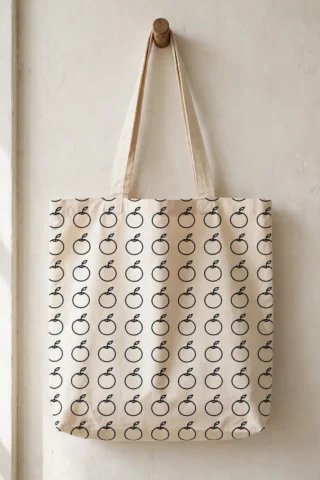
Need a terrazzo free seamless pattern for a cushion, a wrapped gift, a notebook cover or a mug? This is a production-ready seamless tile — one square that repeats in every direction at any size — and it costs nothing: the pack is a free download, free, no sign-up, no watermark.
This seamless pattern is drawn as a single tile of 12 × 12 in (30 × 30 cm) that repeats in every direction, worked out for pattern vinyl, HTV, printable fabric, paper and sublimation blanks. The pack gives you the tile as an SVG master and a DXF on a single CUT layer, a printable PDF at true size, and a README with the tile size, the repeat notes and the material guide for this pattern.
What You Get
Your free download is a single ZIP pack with the complete seamless tile in three file formats plus its making notes:
- SVG — the vector master: one seamless pattern tile, every path on a single CUT layer, ready to upload as a pattern fill in Cricut Design Space or Silhouette Studio, or to print from any vector software
- DXF — the same tile in CAD format (single CUT layer, verified), for Silhouette Basic Edition, CAD and laser software
- PDF — the printable tile at true size: print it to judge the motif scale against your project before you print or cut a full sheet
- README.txt — the tile size in inches and centimetres, how the repeat works, and the recommended materials and uses for this pattern

Why It Repeats Seamlessly
A seamless pattern is only worth having if the repeat is invisible. This tile is checked two ways before it is packed — the vector edges are matched programmatically, and the tile is proofed as a 3×3 repeat so any join would show:
- Clean vector shapes — The motifs are proper vector curves, not a traced picture, so the pattern stays crisp at any repeat size — from a 2-inch mug wrap to a full cushion front.
- Edges that truly match — Every motif that crosses the tile edge is drawn continuing on the opposite edge at the exact same position — the tiling is verified programmatically on the vector geometry and visually on a 3×3 repeat before the file is packed.
- One CUT layer, zero setup fuss — Every path sits on a single CUT layer in both the SVG and the DXF — upload it as a pattern fill or a cut file and it is ready to use.
What You Can Make With It
- Notebook, journal and planner covers — Print or cut the pattern for book covers, journal wraps and planner dashboards — set the repeat small so the motif reads across a small cover.
- A cushion or pillow front — Print the tile on fabric (or use it as a sublimation or printable-fabric design) and sew a cushion front — set the repeat to 3–4 tiles across for the scale shown in the preview.
- Wrapped gifts and party paper — Print sheets at home or at a copy shop and wrap with them — a personal pattern turns plain gifts into the present everyone asks about.
Pattern Tile, Repeats & Materials
The tile: 12 × 12 in (30 × 30 cm). That is one repeat unit. The tile joins to itself on all four sides — left edge to right edge, top edge to bottom edge — so any number of tiles, at any printed size, reads as one continuous pattern. The preview picture shows a 3×3 repeat of this exact tile.
Materials: this pattern is worked out for pattern vinyl, HTV, printable fabric, paper and sublimation blanks. In practice it also works anywhere a pattern fill or a printed sheet works — cotton and canvas for sewing, cardstock and printable paper, sublimation blanks of every shape, and patterned HTV or adhesive vinyl when the tile is kept at a cuttable size.
The tile is drawn at 12 × 12 inches. That is the repeat unit, not a limit: print it at 100% for a large-scale repeat, or set the tile to 2–6 inches for fabric, paper and blanks — the joins match at every size.
How to Use This Seamless Pattern
- Upload the tile. Import the SVG into Cricut Design Space or Silhouette Studio (Designer Edition or above) and save it as a Pattern — in Design Space, upload it from the Pattern section; in Silhouette, drag it into the Patterns area of your Library. For print projects, open the SVG (or the PDF) in your usual print or layout software.
- Fill your shape. Draw or select the shape you want covered — a rectangle for fabric or paper, the outline of your blank for sublimation — and apply the tile as a Pattern Fill. The tile repeats edge-to-edge automatically; you never place copies by hand.
- Set the repeat size. The tile is drawn at 12 × 12 in (30 × 30 cm). Use the pattern scale control to set how large one tile prints: around 2–3 inches per tile for mugs, jars and labels, 4–6 inches for cushions, totes and fabric, and 3–4 inches for wrapping paper.
- Print or cut. Print for paper, printable fabric and sublimation — the pack is drawn for pattern vinyl, HTV, printable fabric, paper and sublimation blanks. Or send it to the mat as patterned HTV or adhesive vinyl: at tile sizes of 4 inches and up, every motif weeds cleanly.
- Check the join once. Before a big run, do one test piece and look for the repeat — you should not be able to find it. The tile was proofed as a 3×3 repeat, exactly the swatch in the preview picture.
Tips & Troubleshooting
- Keep colours simple — The tile is drawn as clean one-colour linework — recolour it in your software to match your project; it also works as a subtle tone-on-tone background.
- Mind small cuts — If you cut the pattern from vinyl rather than printing it, keep each tile at 4 inches or larger so the smallest motifs weed cleanly.
Personal vs Commercial Use
This design is free for personal use — cut as many finished items for yourself, your home and your gifts as you like. Small-batch commercial use is allowed for finished items that you cut and sell yourself. Please do not resell, share or give away the digital files themselves, or upload them to other design sites.
FAQ
Is this terrazzo seamless pattern really free?
Yes. The full pack — SVG cut file, DXF cut file, printable PDF and the README with the design size and material notes — is a free download, with no account, no sign-up and no watermark. Download it, cut it, and come back for the matching designs in the same collection.
How big is the pattern, and what can I put it on?
The tile itself is 12 × 12 in (30 × 30 cm) and repeats in every direction, so the finished pattern is as big as your project — a mug, a cushion or a full sheet of wrapping paper. It is worked out for pattern vinyl, HTV, printable fabric, paper and sublimation blanks. Set the tile smaller for detailed small items and larger for fabric and paper.
Which machines and software does it work with?
The SVG works with Cricut Design Space, Silhouette Studio Designer Edition and above, Brother ScanNCut and laser software such as LightBurn, Glowforge and xTool. The DXF covers Silhouette Basic Edition and CAD-based machines. If you have no cutting machine, the included PDF prints at true size as a template for hand cutting.
How do I make the pattern bigger or smaller?
Scale the tile, not the project: in Pattern Fill (Design Space / Silhouette) use the pattern scale slider; in print software, set the tile size in the print dialog or place and step-and-repeat the tile at your chosen size. The edges match at any scale.
Does the tile repeat in every direction?
Yes — it is a straight (block) repeat: the tile joins edge-to-edge left-right and top-bottom with no offset, rotation or mirroring, verified on a 3×3 proof before packing.
Get Your Free Terrazzo Seamless Pattern
Download the free pack and use the tile in your next project — set the repeat size, fill your shape, and print or cut. The SVG, DXF and printable PDF are all in the free ZIP below.