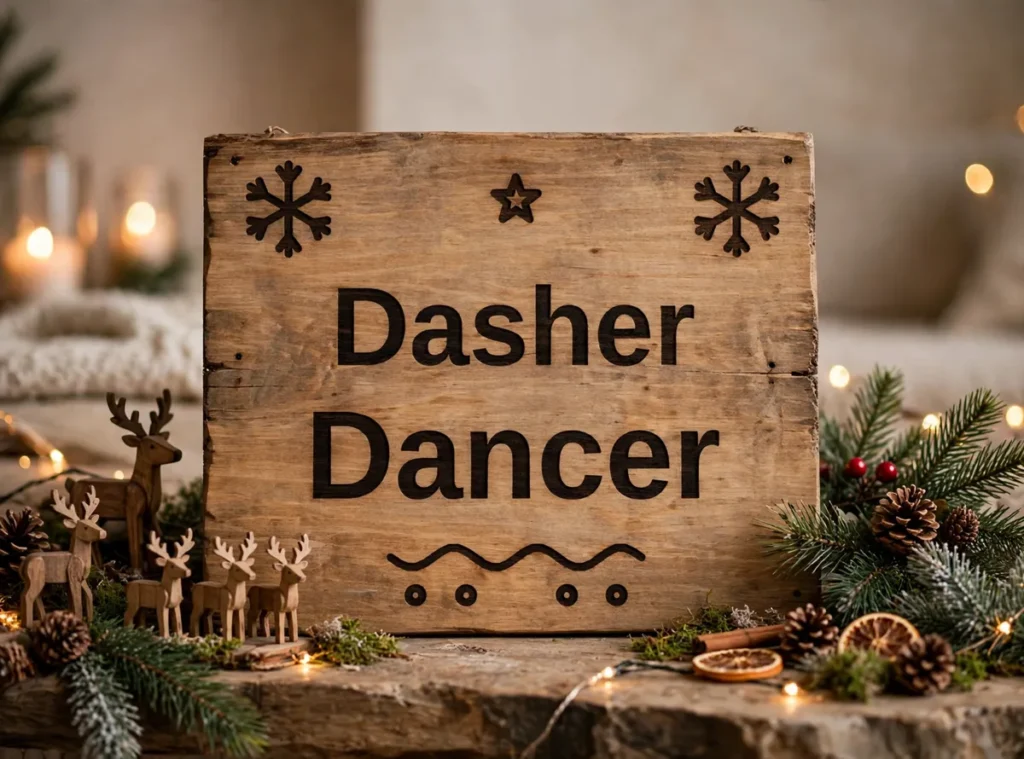
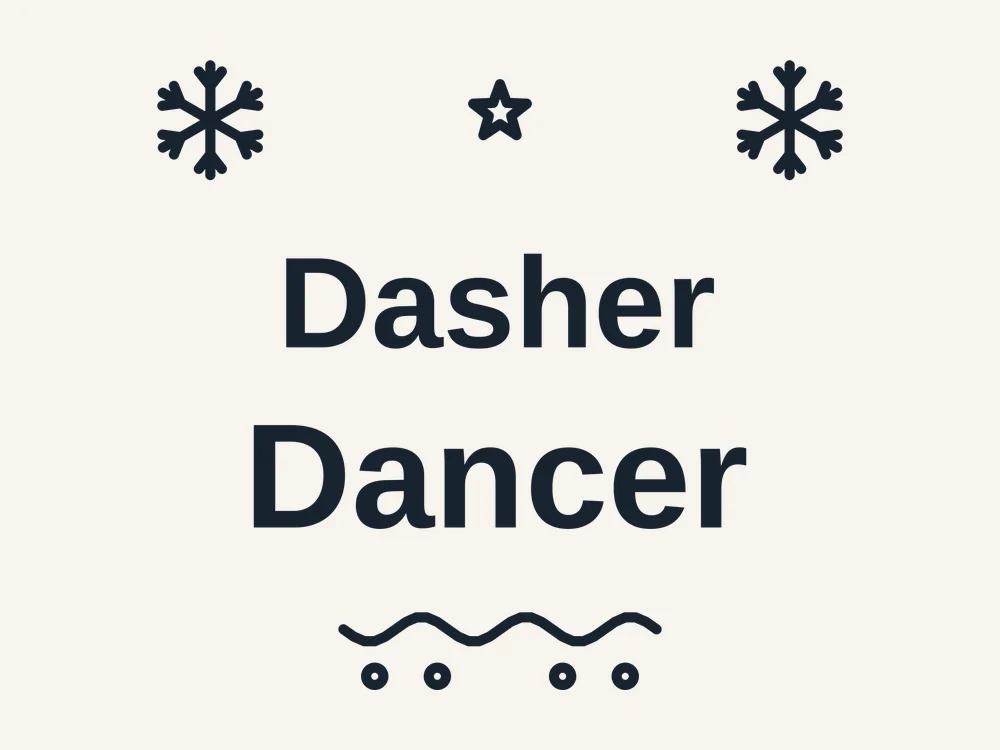
Looking for a reindeer names free svg that looks like it came from a boutique, not a bargain bin? The lettering is set in a bold, friendly sans with snowflake and star accents and a hand-drawn style flourish underneath, balanced so it reads instantly across a room — exactly what sign and shirt designs need. Best of all, the complete pack is a free download — free, no sign-up, no watermark — so you can be cutting within minutes of landing on this page.
This free Christmas quote SVG was designed for real machines and real materials. Every path is a clean, closed vector shape, the fine details are sized so they survive cutting at the recommended size, and the same file works as a laser cut file, a Cricut SVG or a Silhouette cut file without any editing. One design, zero design work — just download, cut and finish it your way.
What You Get
Your free download is a single ZIP pack with the same design in three formats, so it works with almost any machine or software:
- SVG — for Cricut Design Space, Silhouette Designer Edition and most laser software
- DXF — for Silhouette Basic Edition, laser cutters and CNC machines
- PDF — a print-ready reference sheet and cutting template
A PNG preview of the finished design is shown on this page so you can plan your colors and materials before you download. Every path in the pack is a clean, closed vector drawn for this design — no stray points, no broken lines, no traced-image jaggedness.
Why This Design Cuts So Cleanly
Lettering files are notorious for hairline strokes that vanish in vinyl and counters that fall out of the design. This one was set and checked like a cutting file, not a font sample:
- Chunky, cut-friendly letterforms — strokes are thick enough to weed without tearing, even at shirt-pocket sizes
- One-piece layout — the whole saying is composed as a single design, so it transfers in one piece with perfect spacing
- Accents included — snowflakes, stars, flourish and dots are part of the file, positioned and balanced — no hunting for matching clip art
- Bridged counters — the insides of letters are sized to stay put on the mat and transfer cleanly
What You Can Make With It
- Throw pillows and tea towels — one press on a plain cushion cover and your sofa is decorated
- Christmas signs and porch boards — cut in permanent vinyl or as a stencil and paint it on wood — the fastest-selling sign wording of the season
- Sweatshirts and tees — in HTV this is a ten-minute make; the bold letters press cleanly and survive washing
- Gift wrap and cards — cut from cardstock as a card front, or print the PDF as framed word art for a gallery wall
- Mugs, tumblers and wine glasses — shrink it for drinkware — the thick strokes survive small sizes that kill script fonts
How to Use It
For laser cutters (Glowforge, xTool, LightBurn):
- Download the pack and unzip it on your computer.
- Open the SVG or DXF file in your laser software.
- Resize the design to your chosen size — the recommended size below is a reliable starting point.
- Set the outlines to Cut, and cut from 1/8 inch (3 mm) plywood, MDF or acrylic.
- Optionally set inner details to Score or Engrave for a two-tone effect before the outline cuts.
- Finish as your project needs — paint, stain, glue layers or add ribbon — and let it dry fully before gifting or selling.
For Cricut (Design Space):
- Unzip the pack, then in Design Space choose Upload > Upload Image and select the SVG.
- Add it to your canvas and resize with the proportions locked.
- For a layered look, duplicate the design and use Contour to keep a different part on each copy, then cut each layer from a different color.
- Cut, weed, and layer the pieces with transfer tape or glue.
For Silhouette (Studio): open the SVG if you have Designer Edition or above, or use the included DXF in the free Basic Edition. The Christmas quote SVG imports ready to resize, with no cleanup needed.
Sizes & Materials
The design scales from about 3 inches wide (mug size) to 24 inches (porch sign). Eight to twelve inches suits shirts and tote bags; five to six inches is the drinkware sweet spot. Because the letters are bold, weeding stays comfortable right down to the smallest size.
Choosing your material:
- Baltic birch plywood (3 mm) — the classic choice. Light, strong, takes paint and stain well, and the cut edges look beautiful after a light sanding.
- Cast acrylic (3 mm) — modern and premium. Clear, frosted and mirrored acrylic all cut cleanly on a laser; on a Cricut, use acrylic blanks with a vinyl version instead.
- MDF (3 mm) — the budget option for painted pieces and big craft-fair batches. Seal it before painting so the color stays bright.
- Glitter cardstock — perfect for Cricut and Silhouette crafters; no painting needed and the sparkle reads as instant Christmas.
Tips & Troubleshooting
- Making a painted sign instead? — cut the design in stencil vinyl or cardstock, weed the letters (the opposite of usual), and dab paint through with a sponge brush
- HTV letters lifting at the dots? — the accent dots are separate pieces; press them in the same press cycle by keeping the layout on one carrier sheet
- Layering two colors? — split the file by line in your software — the two lines are already separate elements
- Centering on a shirt? — fold the garment and the design in half and mark both centers with chalk before pressing
- Weeding serif-thin spots? — there are none by design — but still weed on a light pad so you can see the counters clearly
Design Notes
The two lines are deliberately set at different weights and sizes — a lighter first line and a heavier second — which is the layout trick professional sign makers use to create a focal word. The flourish underneath is not decoration for its own sake: it anchors the composition and gives the eye a finish line, so the design feels complete on a plain background.
Storing and Reusing Your Files
Save the unzipped folder somewhere you will find it next December — this is the kind of design you will cut again every year. Keep the SVG as your master file, because it scales and edits most easily, and keep the DXF alongside it for Silhouette Basic Edition and laser software. A simple folder per project, named with the design and the size you cut, saves real time when a friend asks you to make another one just like last year’s.
Personal vs Commercial Use
This file is free for personal use — make as many pieces as you like for your own home, your tree and your gifts. Small-batch commercial use is allowed for finished physical items you make and sell yourself, at craft fairs or in your online shop. Please do not resell, share or give away the digital files themselves, or upload them to other design sites.
FAQ
Is this reindeer names quote really free?
Yes. The full pack — SVG, DXF and PDF — is a free download, with no account, no sign-up and no watermark. Download it, cut it, and if you love it, come back for the matching designs in the same collection.
Can I sell shirts and signs made with it?
Finished physical items you make yourself may be sold in small batches; the digital file itself may not be resold or shared.
Does it work with Cricut and Silhouette?
Yes — SVG for Design Space and Silhouette Designer Edition, DXF for Silhouette Basic Edition.
Can I change the words?
The file is a fixed design, but you can cut it as-is in any size or color, and split it by line or accent in your software.
What font is the lettering?
The saying is drawn as finished vector lettering in a bold sans style — you do not need any font installed, and the letters cannot shift or be retyped by accident.
Get Your Free Reindeer Names Quote
Say it in vinyl. Download the pack below and your first sign, shirt or mug is about fifteen minutes away.