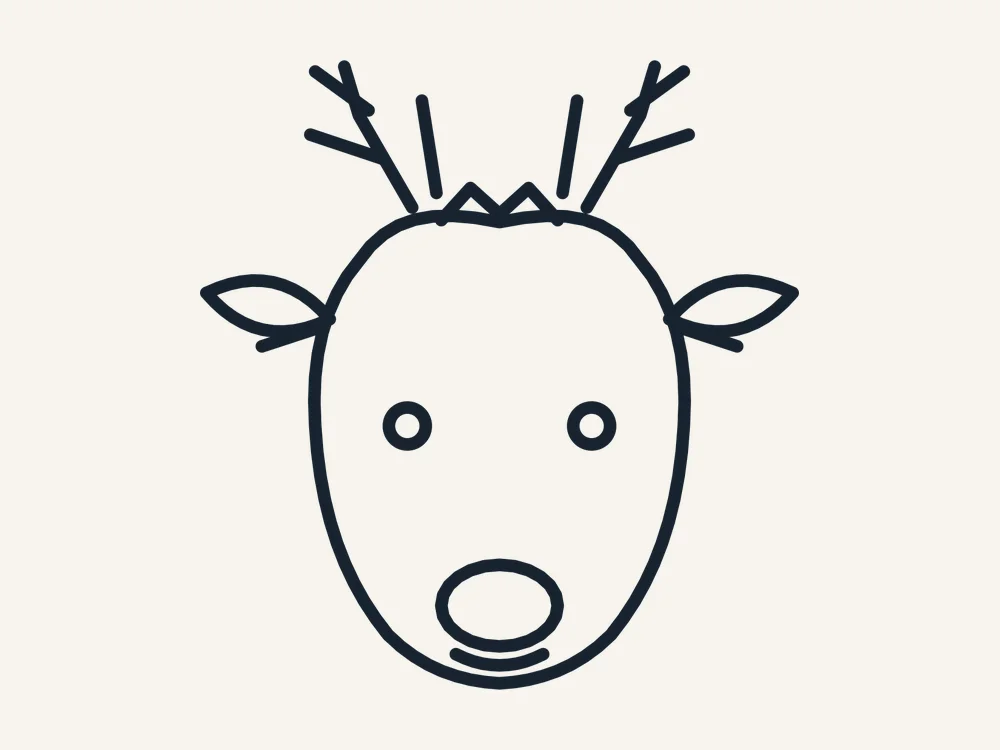
Some reindeer head free svg files look fine on screen and fall apart on the mat. This one was drawn for the mat first. This reindeer head has a smooth, friendly face, leaf-shaped ears, a full set of branching antlers and that famous round nose, drawn in one clean outline that kids instantly recognize. And the full pack is free — free, no sign-up, no watermark — ready to download right now.
This free reindeer head cut file was designed for real machines and real materials. Every path is a clean, closed vector shape, the fine details are sized so they survive cutting at the recommended size, and the same file works as a laser cut file, a Cricut SVG or a Silhouette cut file without any editing. One design, zero design work — just download, cut and finish it your way.
What You Get
Your free download is a single ZIP pack with the same design in three formats, so it works with almost any machine or software:
- SVG — for Cricut Design Space, Silhouette Designer Edition and most laser software
- DXF — for Silhouette Basic Edition, laser cutters and CNC machines
- PDF — a print-ready reference sheet and cutting template
A PNG preview of the finished design is shown on this page so you can plan your colors and materials before you download. Every path in the pack is a clean, closed vector drawn for this design — no stray points, no broken lines, no traced-image jaggedness.
Why This Design Cuts So Cleanly
Character designs live or die on their curves. A traced reindeer has wobbly cheeks and antlers like twigs in a storm; this one was drawn with deliberate, smooth paths:
- Balanced symmetry — the face is perfectly mirrored, which is what makes it read as cute instead of wonky
- Separate feature details — eyes, nose and smile are their own paths — cut them in a contrast color, engrave them, or leave them out for a silhouette
- Antlers with strong bases — each antler branch is thick where it meets the head, so wooden antlers do not snap in the gift bag
- Smooth bezier face — the cheeks, muzzle and forehead are flowing curves with no traced wobble, so cuts finish clean at any size
What You Can Make With It
- Wooden door hanger — cut at 10 inches from MDF, paint, and hang with a plaid ribbon between the antlers
- Sweatshirt and onesie vinyl — the single-color silhouette is perfect for heat-transfer vinyl — one press and the outfit is done
- Reindeer food bags — a small vinyl reindeer on a cellophane bag of oats and glitter is the Christmas Eve craft every kid wants to make
- Gift tags — tiny reindeer heads on kraft tags with a red dot nose — five minutes of cutting, endless compliments
- Rudolph ornaments — cut the head in brown cardstock or wood, add a red nose, and write a name under the chin — classroom gifts sorted
How to Use It
For laser cutters (Glowforge, xTool, LightBurn):
- Download the pack and unzip it on your computer.
- Open the SVG or DXF file in your laser software.
- Resize the design to your chosen size — the recommended size below is a reliable starting point.
- Set the outlines to Cut, and cut from 1/8 inch (3 mm) plywood, MDF or acrylic.
- Optionally set inner details to Score or Engrave for a two-tone effect before the outline cuts.
- Finish as your project needs — paint, stain, glue layers or add ribbon — and let it dry fully before gifting or selling.
For Cricut (Design Space):
- Unzip the pack, then in Design Space choose Upload > Upload Image and select the SVG.
- Add it to your canvas and resize with the proportions locked.
- For a layered look, duplicate the design and use Contour to keep a different part on each copy, then cut each layer from a different color.
- Cut, weed, and layer the pieces with transfer tape or glue.
For Silhouette (Studio): open the SVG if you have Designer Edition or above, or use the included DXF in the free Basic Edition. The reindeer head cut file imports ready to resize, with no cleanup needed.
Sizes & Materials
The design scales from about 2.5 inches to 12 inches. Three to four inches suits ornaments and tags; 8–12 inches makes a statement door hanger or nursery piece. The antlers are the limiting detail — below 2.5 inches in wood they get fragile, so save tiny cuts for vinyl and cardstock.
Choosing your material:
- Baltic birch plywood (3 mm) — the classic choice. Light, strong, takes paint and stain well, and the cut edges look beautiful after a light sanding.
- Cast acrylic (3 mm) — modern and premium. Clear, frosted and mirrored acrylic all cut cleanly on a laser; on a Cricut, use acrylic blanks with a vinyl version instead.
- MDF (3 mm) — the budget option for painted pieces and big craft-fair batches. Seal it before painting so the color stays bright.
- Glitter cardstock — perfect for Cricut and Silhouette crafters; no painting needed and the sparkle reads as instant Christmas.
Tips & Troubleshooting
- Making a whole team? — scale each reindeer slightly differently and vary the nose — red for Rudolph, brown for the rest
- Weeding the smile? — the smile is a separate path — if it fights you at small sizes, draw it with a fine paint pen after cutting instead
- Antlers snapping in wood? — cut at 4 inches or larger, choose plywood over MDF, and lift finished pieces flat with a spatula, never by an antler
- Nose placement drifting? — cut the nose as part of a full second layer in red and align it using the eyes, not the outline
- HTV pressing tips — mirror the design before cutting HTV, and press the nose as a second small piece after the main head
Design Notes
The proportions follow the classic cartoon rule: a big forehead, a small muzzle and eyes set low and wide. That is the combination our brains read as ‘young and friendly’, and it is why this reindeer works for kids’ projects where a realistic deer would feel too serious. The ears angle slightly outward, which keeps the silhouette open and cheerful instead of droopy.
Selling Your Finished Pieces
Finished pieces made from this reindeer head cut file sell well in the run-up to Christmas, especially personalized versions. Photograph your work in daylight, hanging or standing in a real setting rather than flat on a table, and show a hand or a familiar object in one shot so buyers can judge the size. Price for your material, your machine time and your finishing work — not just the blank — and offer a name or year add-on; personalization is where the margin is.
Personal vs Commercial Use
This file is free for personal use — make as many pieces as you like for your own home, your tree and your gifts. Small-batch commercial use is allowed for finished physical items you make and sell yourself, at craft fairs or in your online shop. Please do not resell, share or give away the digital files themselves, or upload them to other design sites.
FAQ
Is this reindeer head really free?
Yes. The full pack — SVG, DXF and PDF — is a free download, with no account, no sign-up and no watermark. Download it, cut it, and if you love it, come back for the matching designs in the same collection.
What is the smallest safe size?
About 2.5 inches in vinyl or cardstock, 4 inches in wood where the antlers need the extra strength.
Can I cut it on a Cricut?
Yes, upload the SVG to Design Space. Remember to mirror it for heat-transfer vinyl projects.
Can I sell reindeer items made with this file?
Finished physical items you make yourself may be sold in small batches; the digital file may not be resold.
Is the nose included as a separate piece?
Yes — the nose is its own closed path, so you can cut it in red, engrave it, or paint it after cutting.
Get Your Free Reindeer Head
Ready to meet your new favorite reindeer? Download the pack below — Dasher’s whole team is waiting on your cutting mat.