
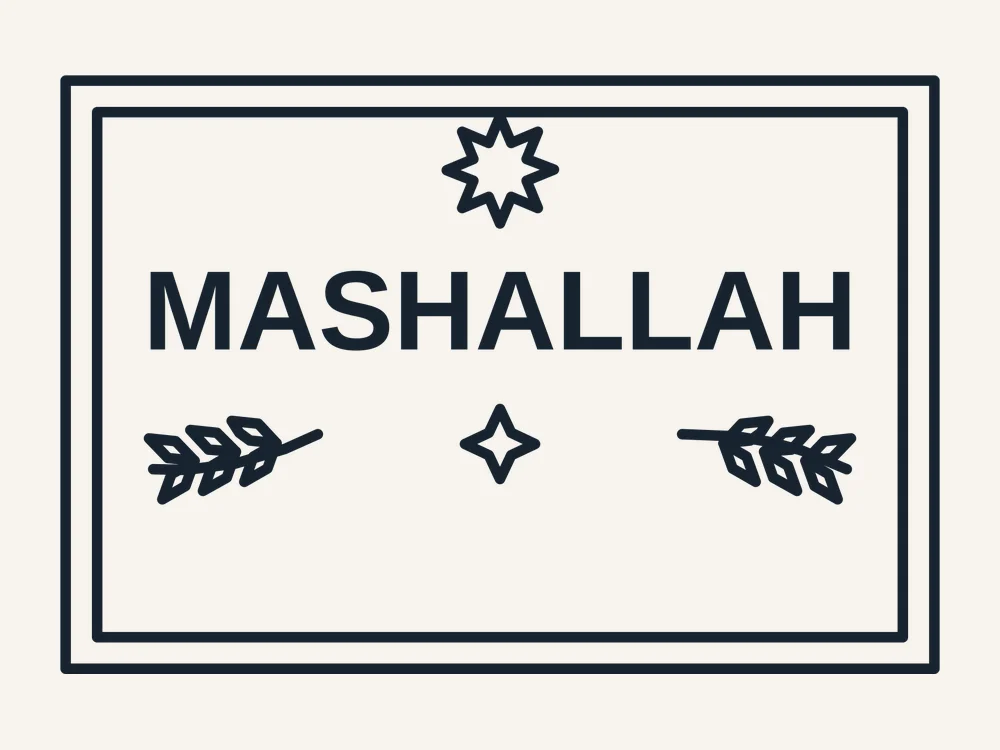
Looking for a mashallah sign free svg that actually cuts the way it looks in the picture? This one is built from scratch as proper cut artwork, in pieces that place easily with the preview as your guide — and the complete pack is a free download: free, no sign-up, no watermark, so you can be cutting within minutes of landing on this page.
This Ramadan greeting sign is drawn at a finished size of 13 × 9 in (33 × 23 cm), worked out for vinyl, HTV, cardstock and laser materials. The pack gives you the artwork as an SVG master and a DXF on a single CUT layer, a printable PDF at true size, and a README with the size, materials and making notes for this design.
What You Get
Your free download is a single ZIP pack with the complete design in three file formats plus its making notes:
- SVG — the vector master: every cut path on one CUT layer, ready for Cricut Design Space, Silhouette Studio (Designer Edition), Brother ScanNCut and laser software such as LightBurn, Glowforge and xTool Creative Space
- DXF — the same cut paths in CAD format (single CUT layer, verified), for Silhouette Basic Edition, CNC and laser machines
- PDF — the printable design at true size: print it to check a size against a blank, plan a layered build, or use it as a placement guide
- README.txt — the drawn size in inches and centimetres, the recommended materials, and the cutting and applying notes for this exact design
Why It Cuts Cleanly
Word signs fail when the letters are a thin script that chips, tears and weeds forever. These greeting signs are set in a bold stencil-style lettering with real bridges, fitted to the board with a small crescent, star or lantern accent:
- Pieces that place easily — The design cuts in one pass as a few separate, generous pieces. Lay them out using the preview picture as your guide — every piece is a big, simple shape, so placement takes seconds and nothing tiny gets lost.
- One CUT layer, zero setup fuss — Every cut path sits on a single CUT layer in both the SVG and the DXF — upload, size and cut. No sorting layers, no stray construction lines, no cleanup before you start.
- Lettering fitted to the board — Each line is measured and fitted to its frame with real margins — nothing overflows the border — so the sign reads from across the room.
- Stencil-bridged lettering — Every enclosed letter — O, A, D, R, B, P — is drawn with proper stencil bridges, so letter centres can never fall out and the words cut as clean, bold shapes in vinyl, card or sheet.
What You Can Make With It
- A gift for a new home — A Salam or Mashallah sign is a thoughtful housewarming or wedding gift — personalise it with the family name underneath in your software.
- A craft-fair seasonal staple — Ramadan and Eid signs sell out every season. Paint the board first, cut in a contrast colour, and finish with twine and a sawtooth hanger.
- The Ramadan welcome sign — Cut at full size and hang it by the front door or in the entrance hall — the greeting every guest sees first during the month.
Finished Size & Materials
Finished size: 13 × 9 in (33 × 23 cm). That is the drawn size — cut at 100% for the size as designed, or scale evenly in your software for a bigger or smaller blank; the vector lines stay sharp at any size.
Materials: this design is drawn for vinyl, HTV, cardstock and laser materials. That pairing is what the detail sizes were worked out for. In practice it also cuts well in the other craft staples — adhesive vinyl and HTV in any brand, cardstock and stencil film, and plywood, MDF or acrylic sheet on a laser in the 3–5 mm range — with no changes to the file.
The stated size is the outer sign size, frame included where the design has one. It suits doors, entryways and party backdrops as drawn; scale up for a backdrop or down for a tray or shelf sign, keeping stencil bridges at least 2 mm wide.
How to Cut & Apply It
- Upload the file. Import the SVG into Cricut Design Space, Silhouette Studio (Designer Edition or above) or Brother CanvasWorkspace — or the DXF into Silhouette Basic Edition. Laser users: the same SVG or DXF opens in LightBurn, Glowforge and xTool Creative Space. Everything is on one CUT layer.
- Set the size. The design is drawn at 13 × 9 in (33 × 23 cm). Type your target width with proportions locked and the height follows — the PDF in the pack prints at true size if you want to check it against a blank first.
- Mirror for HTV. Cutting heat-transfer vinyl? Mirror (flip horizontal) before you cut. Adhesive vinyl, cardstock and laser sheet are cut as-is.
- Cut and weed. Use your material’s standard cut setting — the design is drawn for vinyl, HTV, cardstock and laser materials. Weed the outside waste first and the smallest interior details last.
- Apply or assemble. HTV: press at your vinyl maker’s time and temperature and peel as directed. Adhesive vinyl: use transfer tape and the preview picture as your placement guide. Laser sheet: lift the piece flat, finish the edges, and hang, stand or assemble it as the tips below suggest.
Tips & Troubleshooting
- Weed letters in reading order — Weed the waste from around the words first, then the letter centres; working in reading order stops you missing a centre.
- Scale with the bridges in mind — Keep the sign at 60% or larger so the stencil bridges stay at least 2 mm wide in sheet material.
- Paint before you cut — On a laser, paint or stain the board first and cut after — the lettering edges come out clean with no masking.
Personal vs Commercial Use
This design is free for personal use — cut as many finished items for yourself, your home and your gifts as you like. Small-batch commercial use is allowed for finished items that you cut and sell yourself. Please do not resell, share or give away the digital files themselves, or upload them to other design sites.
FAQ
Is this mashallah sign really free?
Yes. The full pack — SVG cut file, DXF cut file, printable PDF and the README with the design size and material notes — is a free download, with no account, no sign-up and no watermark. Download it, cut it, and come back for the matching designs in the same collection.
What size is the finished piece, and what materials do I need?
It is drawn at 13 × 9 in (33 × 23 cm) and worked out for vinyl, HTV, cardstock and laser materials. Cut at 100% for that size, or scale it evenly in your software. The README in the pack repeats the size in inches and centimetres and lists alternative materials that also work.
Which machines and software does it work with?
The SVG works with Cricut Design Space, Silhouette Studio Designer Edition and above, Brother ScanNCut and laser software such as LightBurn, Glowforge and xTool. The DXF covers Silhouette Basic Edition and CAD-based machines. If you have no cutting machine, the included PDF prints at true size as a template for hand cutting.
What do the greetings mean?
Ramadan Kareem means ‘generous Ramadan’ — the standard greeting for the holy month. Eid Mubarak means ‘blessed Eid’ for the festivals. Bismillah means ‘in the name of God’, Mashallah ‘what God has willed’ (said for blessings), and Salam simply ‘peace’.
Why Latin letters instead of Arabic script?
These signs use the familiar Latin transliteration so any machine and any maker can cut them perfectly — the matching Arabic-lettering panels in this collection carry the same greetings in properly shaped Arabic script.
Get Your Free Mashallah Sign
Download the free pack and hang your greeting before the month begins — the SVG, DXF and printable PDF are all in the free ZIP below.


