
Good hanging star mobile free svg is harder to find than it should be — too many free files are traced pictures that weed badly and tear at the details. This design was built from scratch as proper cut artwork, and the full pack is free: free, no sign-up, no watermark.
This crescent moon ornament is drawn at a finished size of 12 × 13 in (30 × 33 cm), worked out for laser sheets (plywood, MDF, acrylic) or vinyl. The pack gives you the artwork as an SVG master and a DXF on a single CUT layer, a printable PDF at true size, and a README with the size, materials and making notes for this design.
What You Get
Your free download is a single ZIP pack with the complete design in three file formats plus its making notes:
- SVG — the vector master: every cut path on one CUT layer, ready for Cricut Design Space, Silhouette Studio (Designer Edition), Brother ScanNCut and laser software such as LightBurn, Glowforge and xTool Creative Space
- DXF — the same cut paths in CAD format (single CUT layer, verified), for Silhouette Basic Edition, CNC and laser machines
- PDF — the printable design at true size: print it to check a size against a blank, plan a layered build, or use it as a placement guide
- README.txt — the drawn size in inches and centimetres, the recommended materials, and the cutting and applying notes for this exact design
Why It Cuts Cleanly
Crescents fail when the curve is lumpy or the tips taper to nothing and snap. These hilal crescents are drawn from two true circles — the same construction as the classic crescent — so the curve is perfect and the tips finish at a cuttable width:
- A true two-circle crescent — The crescent is the overlap of two exact circles, so its sweep is mathematically smooth from tip to tip — no bumps, no flat spots, at any size.
- Clean vector curves — The artwork is built from proper vector curves and true circles, not a traced bitmap, so blades and beams follow smooth paths and the edges come out clean at any size.
- One connected piece — The outline and every interior detail are drawn as one joined piece, so the design cuts, weeds and lifts in one go — no loose islands to lose and nothing to re-align on the blank.
- One CUT layer, zero setup fuss — Every cut path sits on a single CUT layer in both the SVG and the DXF — upload, size and cut. No sorting layers, no stray construction lines, no cleanup before you start.
What You Can Make With It
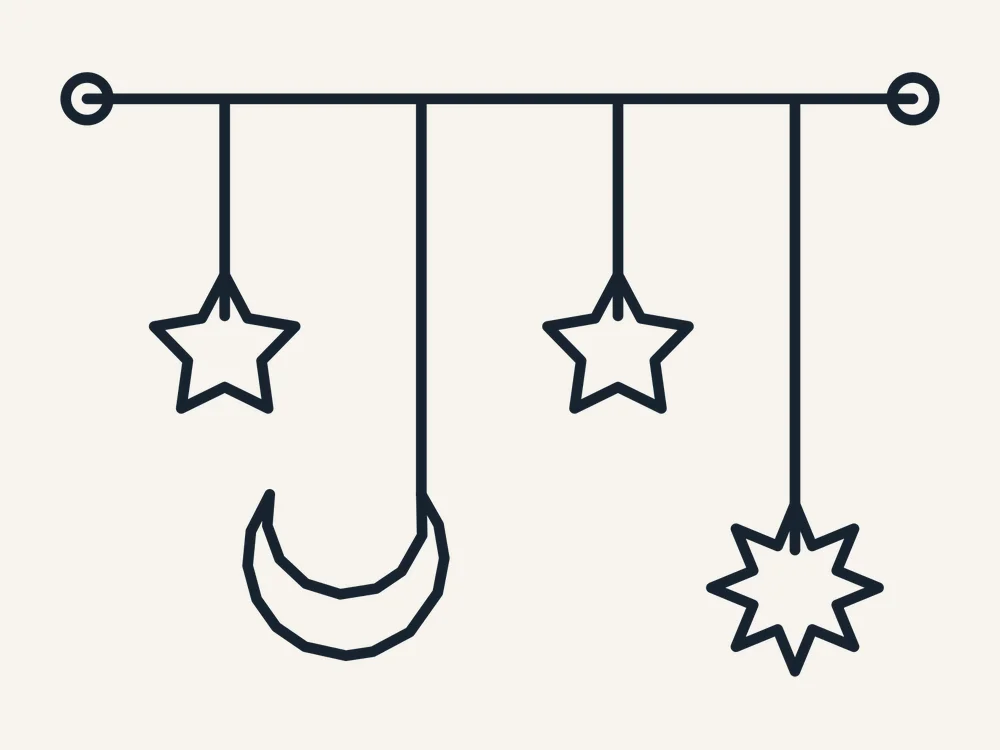
- A Ramadan mobile — The mobile version hangs stars and a crescent from one bar — cut it in gold card and hang it over the iftar table.
- A vinyl crescent for a door or mirror — Cut in adhesive vinyl as a seasonal door, mirror or car-window decal.
- A hanging crescent for the window — Cut at full size in gold or mirrored acrylic and hang it in the window — the crescent that marks the start of Ramadan and the night of Eid.
- A wreath or garland centrepiece — Hang a crescent at the centre of an Eid wreath or along a staircase garland with stars and lanterns between.
Finished Size & Materials
Finished size: 12 × 13 in (30 × 33 cm). That is the drawn size — cut at 100% for the size as designed, or scale evenly in your software for a bigger or smaller blank; the vector lines stay sharp at any size.
Materials: this design is drawn for laser sheets (plywood, MDF, acrylic) or vinyl. That pairing is what the detail sizes were worked out for. In practice it also cuts well in the other craft staples — adhesive vinyl and HTV in any brand, cardstock and stencil film, and plywood, MDF or acrylic sheet on a laser in the 3–5 mm range — with no changes to the file.
The stated size includes the hanging loop. It suits windows, doors and mantels as drawn; scale down for tags and garlands or up for a door statement, keeping the tips supported when you handle fresh cuts.
How to Cut & Apply It
- Upload the file. Import the SVG into Cricut Design Space, Silhouette Studio (Designer Edition or above) or Brother CanvasWorkspace — or the DXF into Silhouette Basic Edition. Laser users: the same SVG or DXF opens in LightBurn, Glowforge and xTool Creative Space. Everything is on one CUT layer.
- Set the size. The design is drawn at 12 × 13 in (30 × 33 cm). Type your target width with proportions locked and the height follows — the PDF in the pack prints at true size if you want to check it against a blank first.
- Mirror for HTV. Cutting heat-transfer vinyl? Mirror (flip horizontal) before you cut. Adhesive vinyl, cardstock and laser sheet are cut as-is.
- Cut and weed. Use your material’s standard cut setting — the design is drawn for laser sheets (plywood, MDF, acrylic) or vinyl. Weed the outside waste first and the smallest interior details last.
- Apply or assemble. HTV: press at your vinyl maker’s time and temperature and peel as directed. Adhesive vinyl: use transfer tape and the preview picture as your placement guide. Laser sheet: lift the piece flat, finish the edges, and hang, stand or assemble it as the tips below suggest.
Tips & Troubleshooting
- Scale check — The tips are drawn to survive at the stated size; below about 3 inches tall, cut in card or vinyl rather than thin plywood.
- Hang from the tip, not the middle — A crescent hangs in balance from its upper tip or from the drawn hanging loop — never from the hollow centre, where it will spin and tilt.
- Gold loves company — Crescents read best grouped: one large, two small, with stars between — odd numbers arrange most naturally.
- Mirror pairs — Cut two crescents mirrored for symmetrical door or mantel displays; the file flips cleanly in any software.
Personal vs Commercial Use
This design is free for personal use — cut as many finished items for yourself, your home and your gifts as you like. Small-batch commercial use is allowed for finished items that you cut and sell yourself. Please do not resell, share or give away the digital files themselves, or upload them to other design sites.
FAQ
Is this hanging star mobile really free?
Yes. The full pack — SVG cut file, DXF cut file, printable PDF and the README with the design size and material notes — is a free download, with no account, no sign-up and no watermark. Download it, cut it, and come back for the matching designs in the same collection.
What size is the finished piece, and what materials do I need?
It is drawn at 12 × 13 in (30 × 33 cm) and worked out for laser sheets (plywood, MDF, acrylic) or vinyl. Cut at 100% for that size, or scale it evenly in your software. The README in the pack repeats the size in inches and centimetres and lists alternative materials that also work.
Which machines and software does it work with?
The SVG works with Cricut Design Space, Silhouette Studio Designer Edition and above, Brother ScanNCut and laser software such as LightBurn, Glowforge and xTool. The DXF covers Silhouette Basic Edition and CAD-based machines. If you have no cutting machine, the included PDF prints at true size as a template for hand cutting.
Why is the crescent so important at Ramadan?
Ramadan begins and ends with the sighting of the new crescent moon (the hilal), and Eid al-Fitr is declared when the Shawwal crescent is seen — which is why crescents crown domes, top lanterns and decorate homes all month.
Is the hanging loop part of the design?
Yes — the loop at the top is drawn in, so the ornament hangs straight from a ribbon or cord with no drilling or added hardware. Layered versions hang their second piece from the same loop.
Get Your Free Hanging Star Mobile
Download the free pack and hang your crescent tonight — the SVG, DXF and printable PDF are all in the free ZIP below, with sizes and materials in the README.


