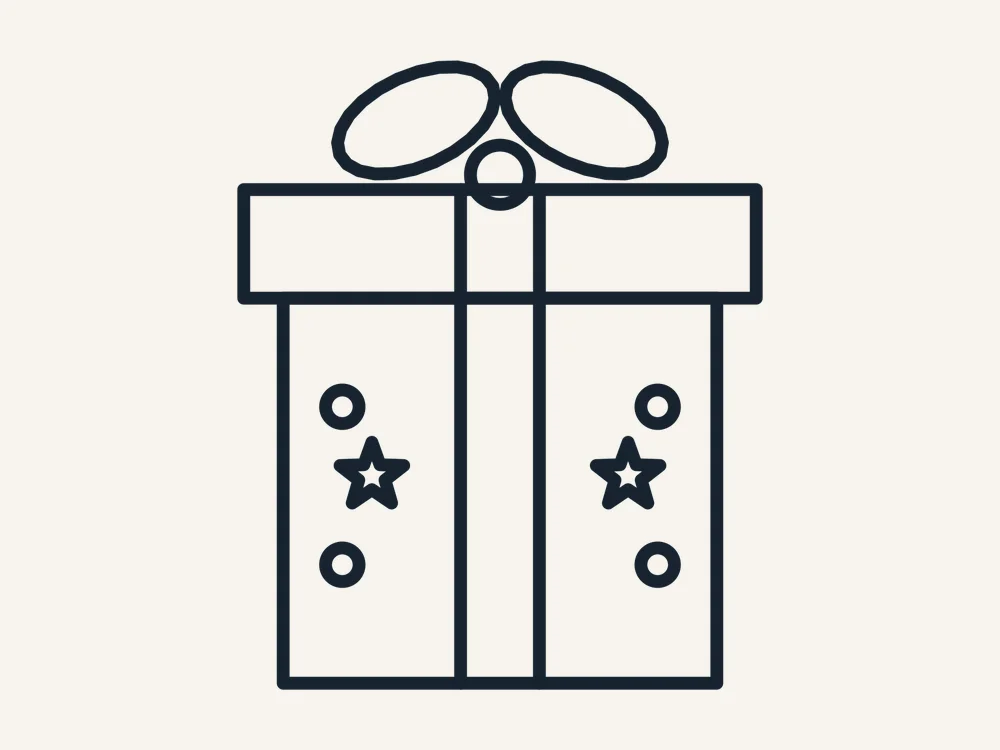
Some christmas present free svg files look fine on screen and fall apart on the mat. This one was drawn for the mat first. This present has a crisp box, a proper lid line, a full ribbon cross and a big two-loop bow on top — the complete gift silhouette that works on everything from tags to porch signs. And the full pack is free — free, no sign-up, no watermark — ready to download right now.
This free Christmas present cut file was designed for real machines and real materials. Every path is a clean, closed vector shape, the fine details are sized so they survive cutting at the recommended size, and the same file works as a laser cut file, a Cricut SVG or a Silhouette cut file without any editing. One design, zero design work — just download, cut and finish it your way.
What You Get
Your free download is a single ZIP pack with the same design in three formats, so it works with almost any machine or software:
- SVG — for Cricut Design Space, Silhouette Designer Edition and most laser software
- DXF — for Silhouette Basic Edition, laser cutters and CNC machines
- PDF — a print-ready reference sheet and cutting template
A PNG preview of the finished design is shown on this page so you can plan your colors and materials before you download. Every path in the pack is a clean, closed vector drawn for this design — no stray points, no broken lines, no traced-image jaggedness.
Why This Design Cuts So Cleanly
A present is a box with a bow, and most files draw exactly that — a square and a scribble. This one is finished properly, because presents get used at small sizes where sloppy shows:
- True box geometry — the lid overhangs the box evenly on both sides, the way a real wrapped gift looks
- A real bow — two shaped loops and a knot, drawn as clean closed paths instead of a scribble — the bow is the whole point of a present
- Ribbon cross included — the vertical ribbon runs over the lid and down the box as separate paths — cut it in a contrast color or score it
- Pattern details placed — the star and dot pattern on the box can be cut through for a peek-a-boo layer or left off for a plain gift
What You Can Make With It
- Present stack porch sign — cut three presents in different sizes and colors, stack them, add a family name — a door sign in an hour
- Gift tags that are the gift wrap — cut presents in patterned cardstock, write on the back, and tie them on with real ribbon
- Birthday crossover — change the colors and this design works for birthdays all year — the hardest-working file in your library
- Advent calendar doors and pockets — numbered present flaps are the cutest countdown calendar doors you can cut
- Teacher and neighbor gifts — a present-shaped card with a gift card inside is the universal thank-you
How to Use It
For laser cutters (Glowforge, xTool, LightBurn):
- Download the pack and unzip it on your computer.
- Open the SVG or DXF file in your laser software.
- Resize the design to your chosen size — the recommended size below is a reliable starting point.
- Set the outlines to Cut, and cut from 1/8 inch (3 mm) plywood, MDF or acrylic.
- Optionally set inner details to Score or Engrave for a two-tone effect before the outline cuts.
- Finish as your project needs — paint, stain, glue layers or add ribbon — and let it dry fully before gifting or selling.
For Cricut (Design Space):
- Unzip the pack, then in Design Space choose Upload > Upload Image and select the SVG.
- Add it to your canvas and resize with the proportions locked.
- For a layered look, duplicate the design and use Contour to keep a different part on each copy, then cut each layer from a different color.
- Cut, weed, and layer the pieces with transfer tape or glue.
For Silhouette (Studio): open the SVG if you have Designer Edition or above, or use the included DXF in the free Basic Edition. The Christmas present cut file imports ready to resize, with no cleanup needed.
Sizes & Materials
Scales from about 2.5 inches to 12 inches. Three to four inches suits tags and cards; stack 6, 8 and 10 inch presents for a porch display. The bow loops need 3 inches and up in cardstock to hold their shape — below that, tie a real mini ribbon bow on the cut box instead.
Choosing your material:
- Baltic birch plywood (3 mm) — the classic choice. Light, strong, takes paint and stain well, and the cut edges look beautiful after a light sanding.
- Cast acrylic (3 mm) — modern and premium. Clear, frosted and mirrored acrylic all cut cleanly on a laser; on a Cricut, use acrylic blanks with a vinyl version instead.
- MDF (3 mm) — the budget option for painted pieces and big craft-fair batches. Seal it before painting so the color stays bright.
- Glitter cardstock — perfect for Cricut and Silhouette crafters; no painting needed and the sparkle reads as instant Christmas.
Tips & Troubleshooting
- Pattern paper overload? — one patterned paper per present, maximum; the bow and ribbon should always be solid colors
- Bow loops collapsing in thin card? — back the bow layer with a second cut of plain cardstock, or cut bows from craft foam for instant dimension
- Ribbon alignment across the lid join — cut the ribbon pieces for lid and box separately and butt them at the lid line — the eye never spots the seam
- Stacking for a sign? — glue the stack together flat first, then mount the whole stack on your board — far easier than placing pieces one by one
- Writing on tags — the box back is a perfect flat writing area — use a fine gel pen and let it dry before tying on
Design Notes
The lid overhang is only a few percent wider than the box, but that tiny lip is what separates ‘gift’ from ‘cube’ in the reader’s brain — it is the same reason the bow loops are plump rather than round. Presents are pure geometry plus two soft shapes, and this file keeps that balance exact.
Project Spotlight: The Classroom Batch
Need twenty of them? This Christmas present cut file is built for batch work: the design has no fragile loose pieces to lose, it nests efficiently on a sheet, and every copy comes off the mat identical. Cut the full batch first, then set up an assembly line — one person weeding, one gluing, one tying ribbons. Teachers and group leaders pick this design for exactly that reason: the twenty-fifth copy is as clean as the first.
Personal vs Commercial Use
This file is free for personal use — make as many pieces as you like for your own home, your tree and your gifts. Small-batch commercial use is allowed for finished physical items you make and sell yourself, at craft fairs or in your online shop. Please do not resell, share or give away the digital files themselves, or upload them to other design sites.
FAQ
Is this christmas present gift box really free?
Yes. The full pack — SVG, DXF and PDF — is a free download, with no account, no sign-up and no watermark. Download it, cut it, and if you love it, come back for the matching designs in the same collection.
Can I sell presents made from this file?
Finished physical pieces you make yourself may be sold in small batches; the digital file may not be resold.
Does it work on a Cricut?
Yes — upload the SVG to Design Space; the DXF covers Silhouette Basic Edition.
Can I use it for birthdays?
Absolutely — nothing in the design is Christmas-specific except the company it keeps on this page.
Can I remove the pattern on the box?
Yes — the stars and dots are separate paths; delete them for a plain present, or keep just one element.
Get Your Free Christmas Present Gift Box
Wrap up your project list. Download the pack below and cut the present everyone wants to open.